How to Get and Use Anki
Anki is a flashcard software trusted by serious learners who need to memorize information effectively. I initially was going to include this information in a comprehensive blog post on Words in Context questions on the SAT Reading/Writing, but I decided to separate it out. This not only gets it out sooner but also makes sense because the information here is generally useful outside of preparing for the SAT.
Below I explain how to get Anki, how to load an Anki deck that you’ve downloaded, and how best to use the software to encourage maximum retention of the information you study. I also describe and link a couple Anki decks that can help you study for the SAT.
Contact me if you see something on here you’d like elaborated on.
Getting Anki and Importing a Deck
You can use Anki on the web or download it for computer , iOS, or Android. You can also use it on multiple devices by syncing your progress through the web version of Anki. Note also that if you use Anki on multiple platforms, you only have to import a deck into one device, and then from there you can sync all of them.
Anki is free for computer (Windows, Mac, or Linux): https://apps.ankiweb.net/
It's also free for Android: https://play.google.com/store/apps/details?id=com.ichi2.anki&hl=en_US
The iOS (iPhone/iPad) version costs $25 once, and is called Anki mobile flashcards: https://apps.apple.com/us/app/ankimobile-flashcards/id373493387
It's important to get the right one as there are knockoffs that charge a subscription fee.
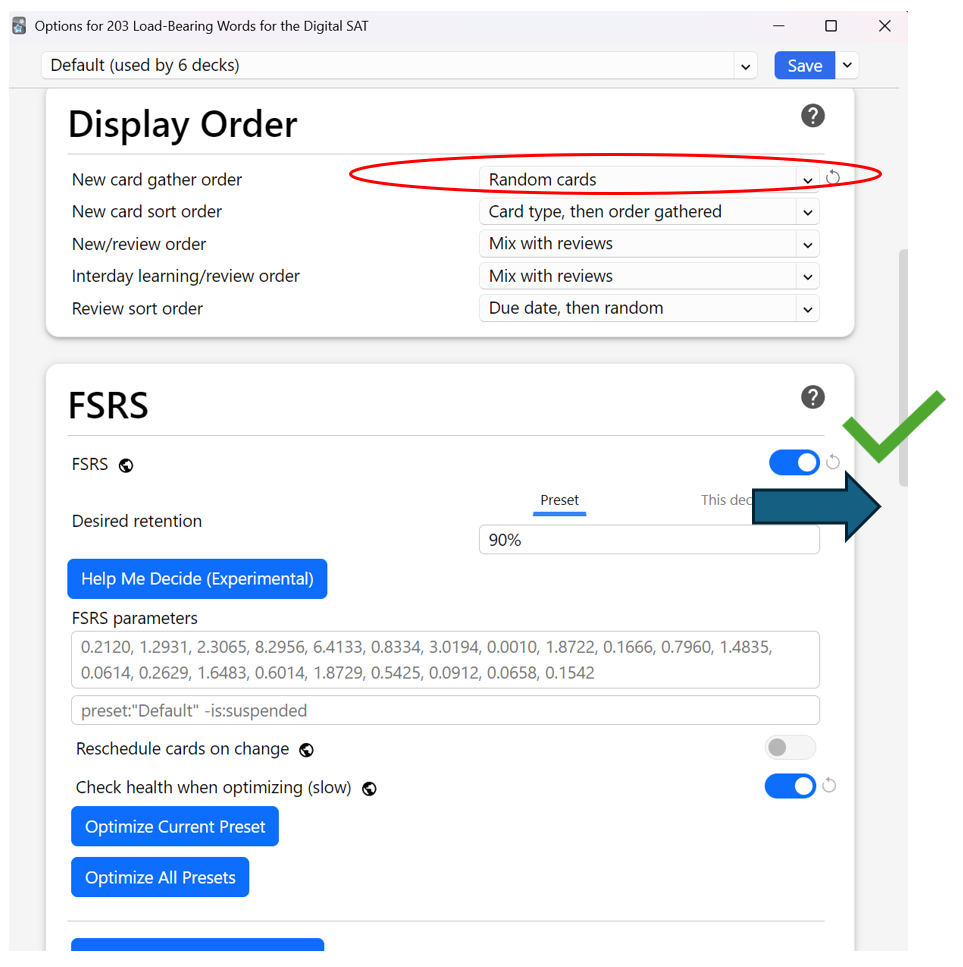
There are two settings you want to have on: first, FSRS, the “spaced repetition” algorithm that determines when you need to review cards, and second, “New Card Gather Order” should be set to “Random Cards.” I’ll show pictures of these at the start of the next section. These will also sync if you set them on one device.
Computer (Desktop or Laptop)
You can download Anki for Windows, Mac, or Linux here for free: https://apps.ankiweb.net/
Once you have it installed and have downloaded a deck, you can import it via the following steps:
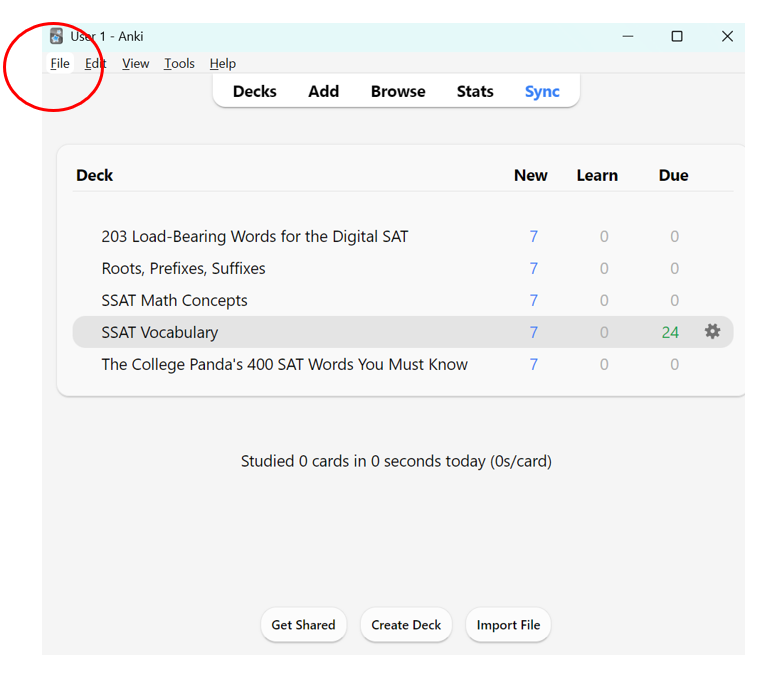
First click “File.”
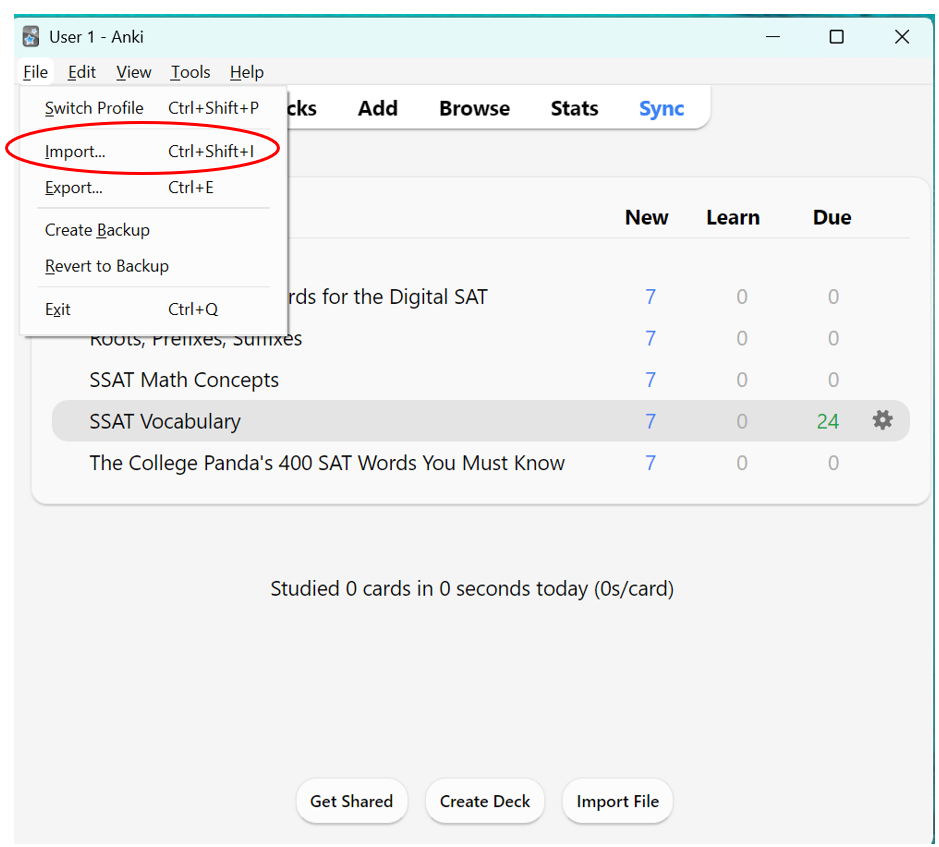
Then, in the dropdown menu, click “Import.”
After you click Import, then find the .apkg file in your downloads. Don’t import learning progress or deck presets.
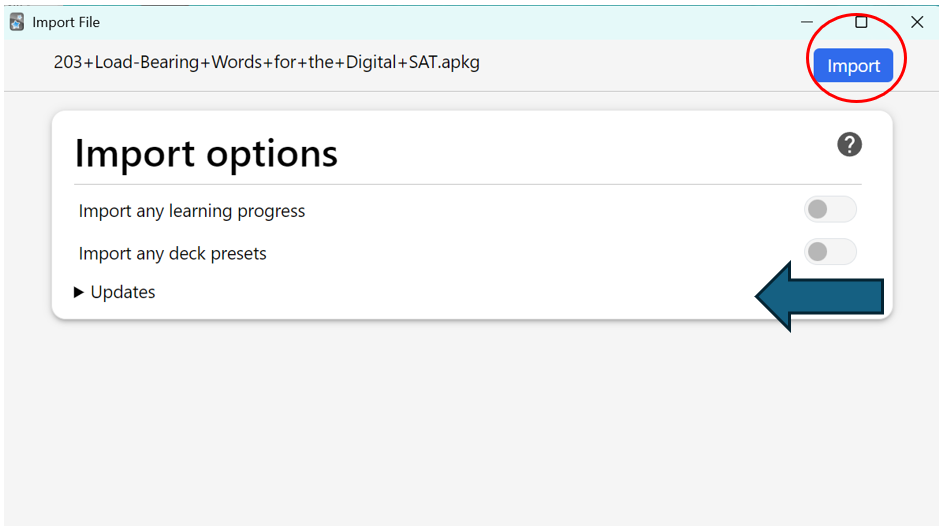
Don’t import learning progress or deck presets.
iOS
The version for iPhone and iPad is the only one that costs money, $25. But it is just a one-time fee. https://apps.apple.com/us/app/ankimobile-flashcards/id373493387
iOS is the simplest to get running because you don’t have to go into the software to import a deck. Once you have the app and have downloaded a deck, go directly to your file manager to open it. Then it will automatically import.
As with the computer version, don’t import presets or learning progress.
Android
The Android version of Anki, like the desktop version, is free. You can get it here: https://play.google.com/store/apps/details?id=com.ichi2.anki&hl=en_US
Once you have downloaded Anki and downloaded a deck, then use the import process like for desktop.
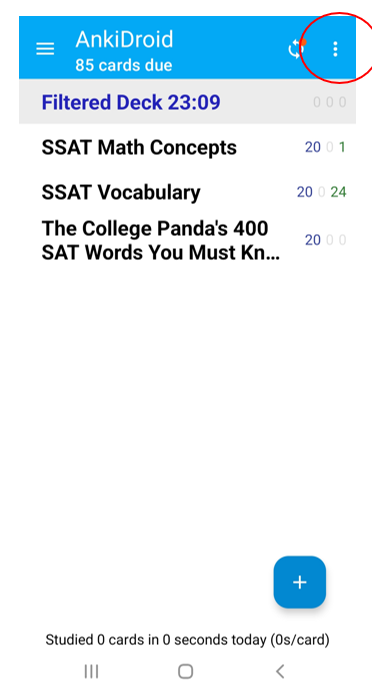
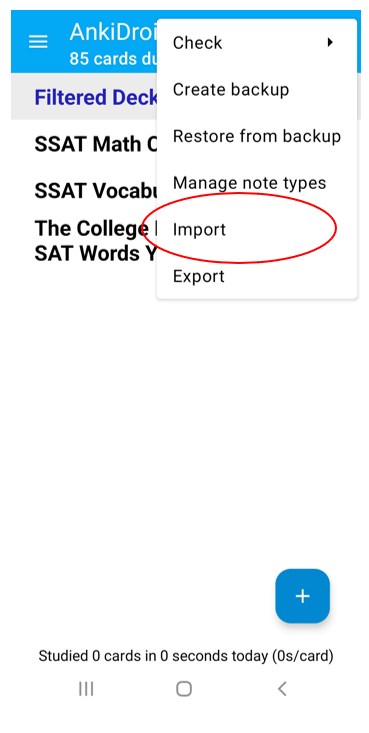
After you click “Import,” then just find the .apkg file in your downloads. Don’t import deck presets or learning progress.
Using Anki
First, to get the most out of Anki, you want to have two settings on: FSRS, and setting “New Card Gather Order” to random. To do this you need to go into deck options. Here is what it looks like on Windows:
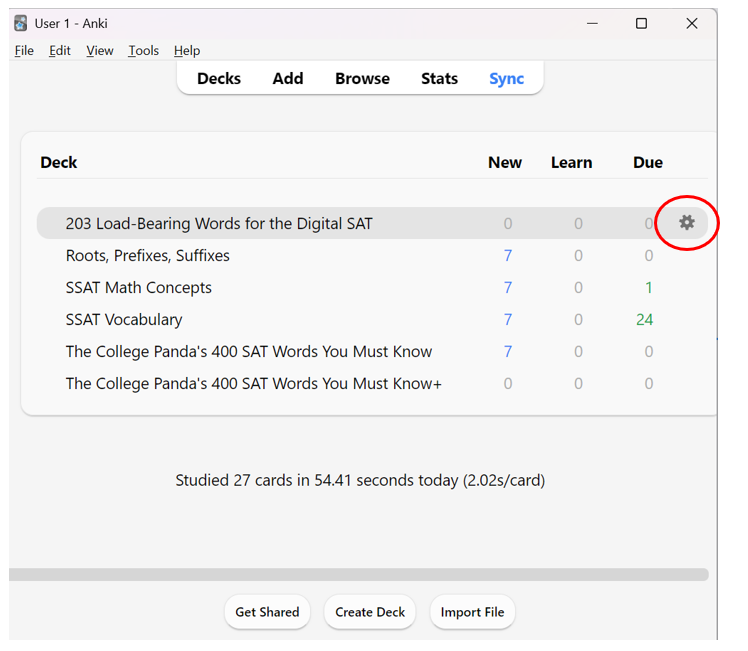
Click the gear which appears when you move the cursor to the right side of the row the deck is in.
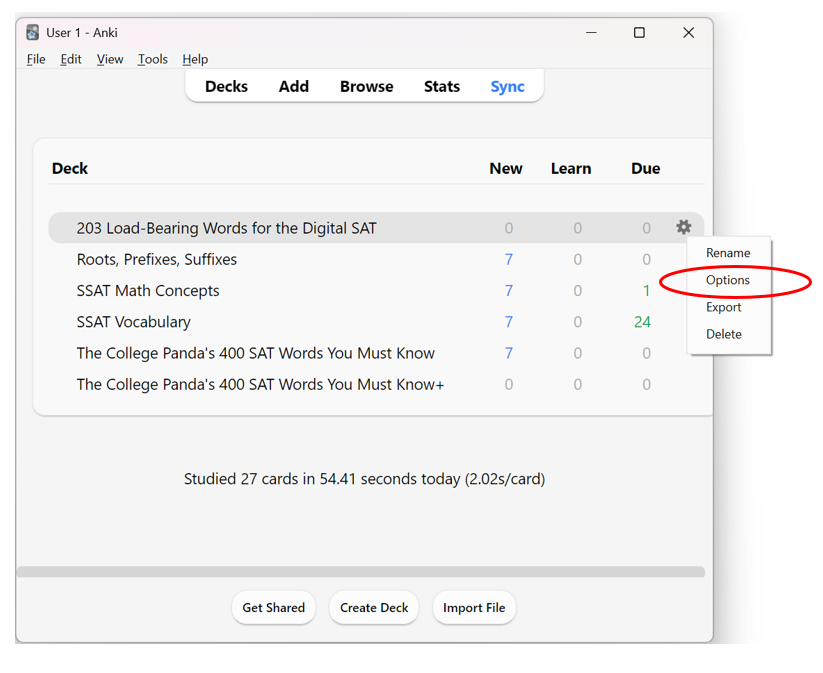
Click “Options” in the dropdown menu.
Once you get into Options, you can find the Display Order and FSRS headings next to each other. Don’t worry about the details of the FSRS area, just make sure it’s on.
Anki requires a certain amount of discipline to use well because it requires that you continually assess how well you know something, rather than deciding for you how well you know it based on an answer you type in. The screenshots below show how the process works.
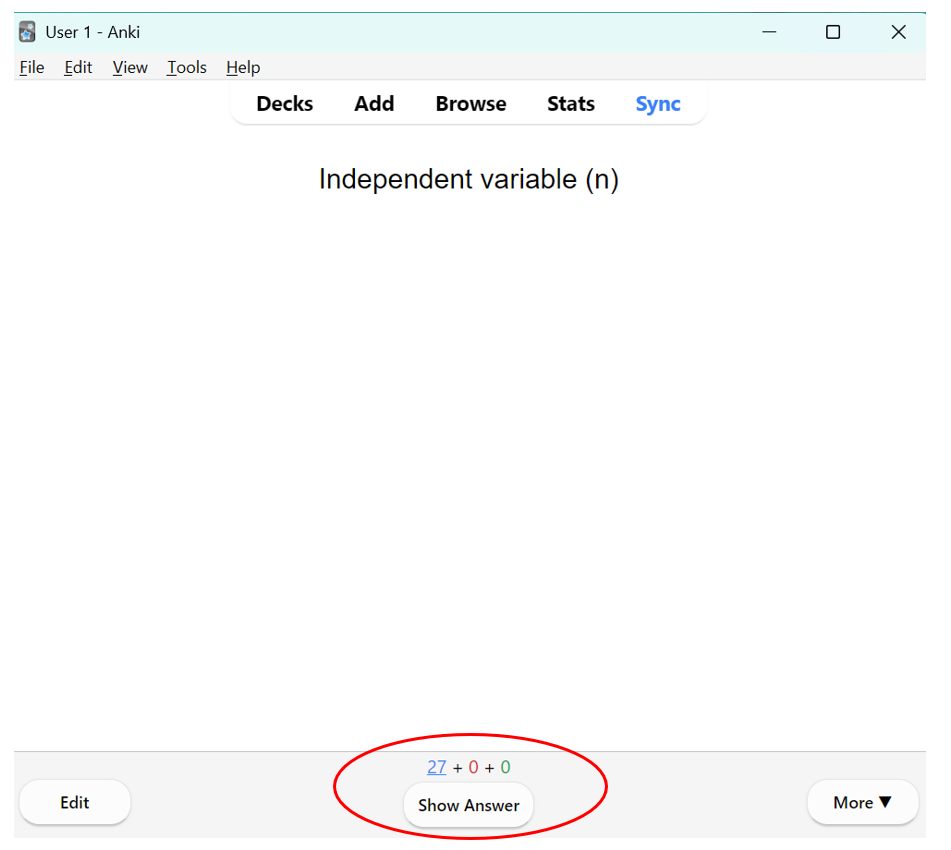
Here’s the “front” of an Anki card on Windows (using the SAT (mostly) Reading deck I put together, “203 Load-Bearing Words for the SAT,” as an example). You can see that at the bottom there’s a “Show Answer” button. Once you think about the word and try to remember what it means, click on the “Show Answer” button to see if you were right.
Once you click the “Show answer” button, you see the back side of the card, and you then rate your grasp of the content from “again” to “easy.” You can see above each one how much time it will be before the card is brought back if you choose that answer. The times will vary based on whether you’ve seen the card before and how it went for you before.
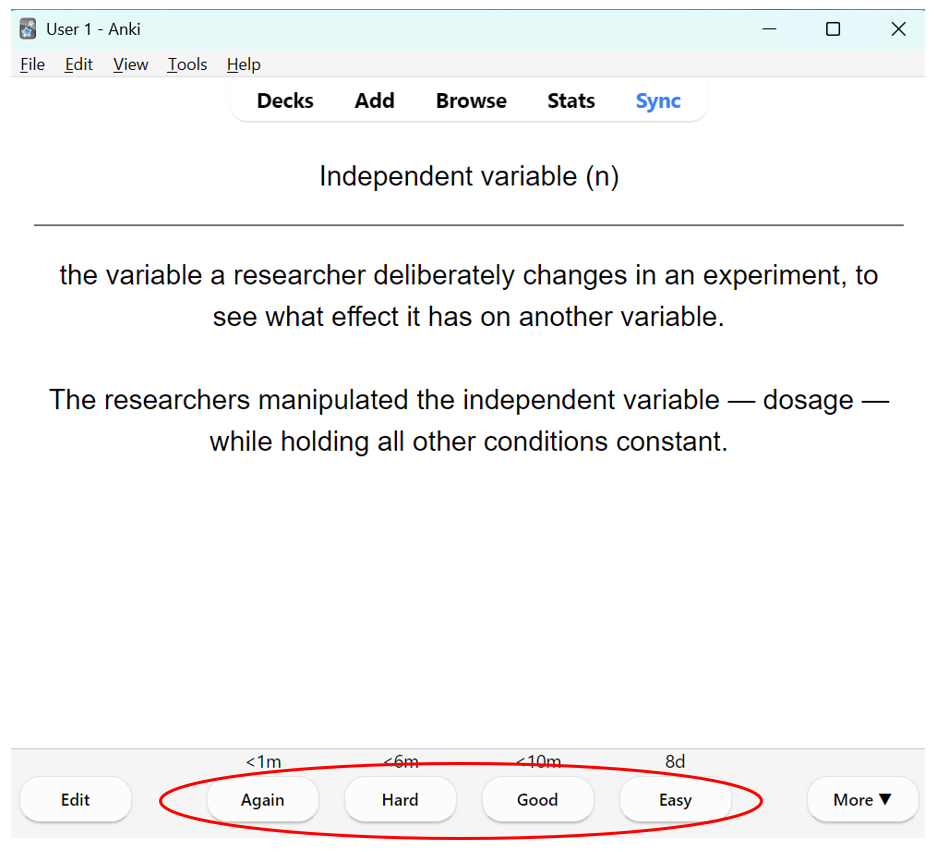
The first time you see a card, unless you totally understand every part of the definition and (in the case of this deck) how it’s being used in the sentence, I’d advise against picking “easy.” After that, just be honest with yourself about how it went, and if you find that words are coming back for review that you don’t remember at all, take that as a sign that you should be clicking “hard” or “again” more often. This is your prep, and if you make it too easy on yourself, it’s your learning that will suffer. All the words and word parts in the decks below are relevant to the test, and most of them are relevant to most paths in college as well.
After you finish all the new words and review words for a day, you’ll see a screen like the following:
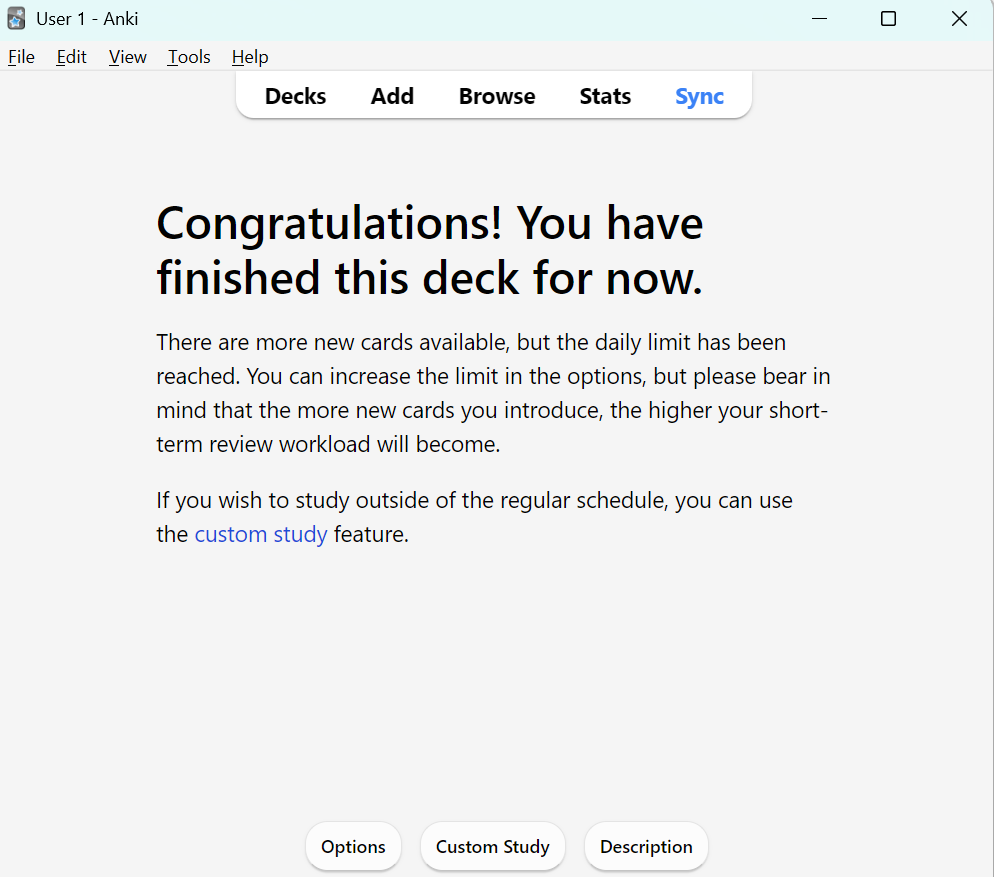
This is where you want to be able to get to every day. Figure out how long you have before the test and how much time you have to study vocab, so you can pace yourself well.
Anki Decks for the SAT
Load-Bearing Vocabulary Deck
I put this deck together after combing the questions released by the College Board, both in the Question Bank and the official practice tests on Bluebook, for challenging words that either are used in the basic format of the Reading/Writing section (like “logic” or “generalization”) or words that show up frequently in reading passages or Words in Context questions. There are also some words that come from the Math section, which show up with a consistent technical meaning there. The example sentences included on each card also tend to use the word in scientific or research contexts, giving you a clearer sense of how the word might be used in a Command of Evidence or Inferences question.
Studying these words is the most efficient way to prepare for vocabulary questions on the SAT because it gets you ready for challenging questions throughout the Reading/Writing while also preparing you for possible Words in Context answer choices. The problem with studying for vocabulary is typically that, despite the fact that Words in Context is the most common question type on the SAT Reading/Writing, studying vocabulary for these questions is both very open-ended and generally totally disconnected from other studying. This deck, particularly in the way the example sentences are tailored to helping make sense of research contexts, gets you a good chunk of the way towards the vocab words you need without neglecting the rest of the test. No, it doesn’t include “desultory” and many other words that could possibly come up on the second-module Words in Context questions, but that’s the point.
With 203 words, if you introduce 10 words a day, you’ll have seen them all in 3 weeks, and from there you’ll have at least 2 or 3 more weeks with a lot to review. So ideally you’d start this deck at least 6 weeks before a test date. Also, if your test is further out, remember that you’ll need to keep coming back on the later days to make optimal use of the spaced repetition algorithm.
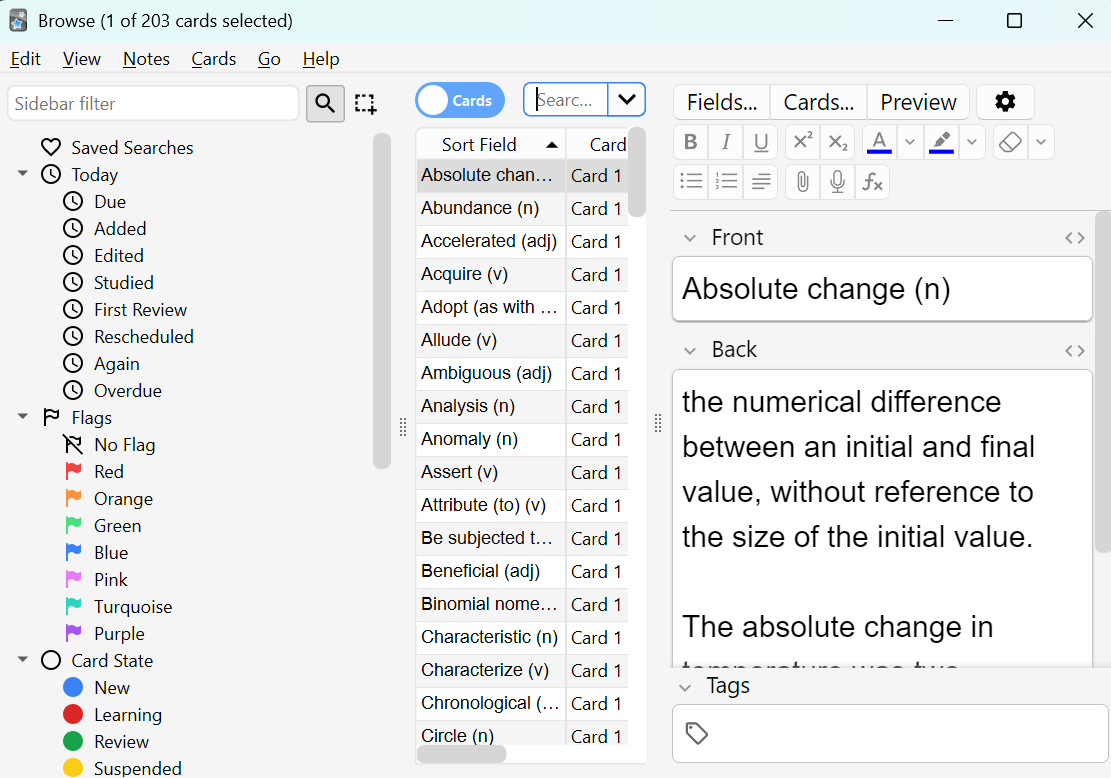
What it looks like if you click “Browse” while using this deck on Anki for desktop.
Roots, Prefixes, and Suffixes Deck
This deck is divided between common roots, prefixes, and suffixes, all of Greek or Latin origin. Our language is one in which it’s especially hard to understand words by breaking them into their parts, because of all the different languages English draws from. However, most academic or technical words, like the ones the SAT Reading/Writing focuses on, have a more direct connection to Greek or Latin. Learning these roots gives a students a good chance of figuring out the meaning of many more words correctly. It’s actually mostly pulled from a manual for a high school entrance exam which is very vocab-heavy (the SSAT), but if you haven’t practiced breaking down words by their roots before, or studied Latin in school, you’re likely to find this very helpful.
Even if the roots or other word parts you know don’t come up in a given question, the skill of breaking down words will strengthen your critical reading skills for these and other questions. Furthermore, looking for them will get your brain more engaged in the question by giving it smaller, more manageable tasks on the way to a correct answer. By getting your brain’s engine running, you’ll end up making more word-associations in general, which will help you make better educated guesses. It will also give you a sense of agency even if you can’t get to a single answer, which will help reduce stress going forward in the module.
This deck only has 119 cards (with about 40% being roots and the rest being either prefixes or suffixes), so you can introduce 8 a day and have seen them all in about 2 weeks, with a couple more weeks with a lot to review and then a declining review burden. Again, if your test is further out, remember that you’ll need to keep coming back on the later days to make optimal use of the spaced repetition algorithm.
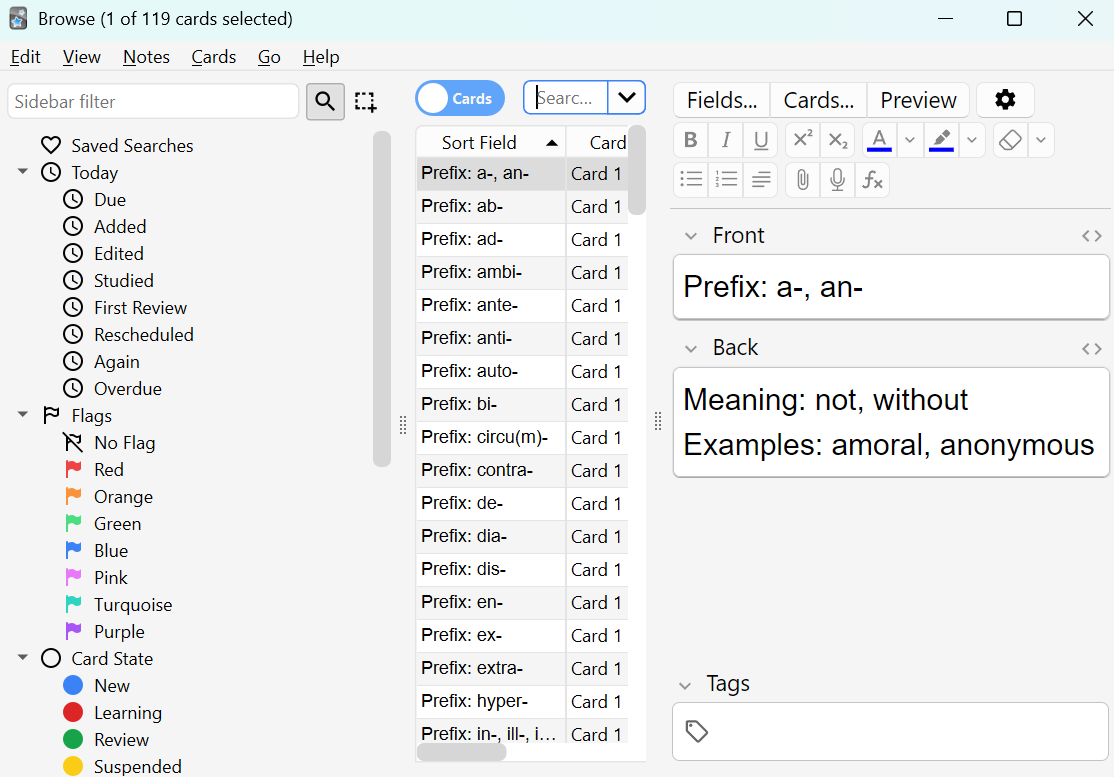
What it looks like if you click “Browse” on the Roots, Prefixes, Suffixes deck on Anki for desktop.
Other Vocabulary Decks
If you have all those down, you can also check out further vocabulary decks, many of which are on Anki. The College Panda’s deck is a good compromise in size: enough words that you’ll probably see some on the test, but not so many that you lose a lot of time you could have spent preparing for other parts of the test.
